Key Features
- Camera-based screen color sync
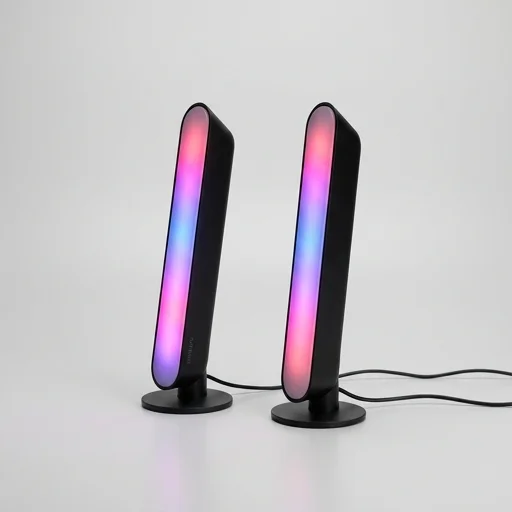
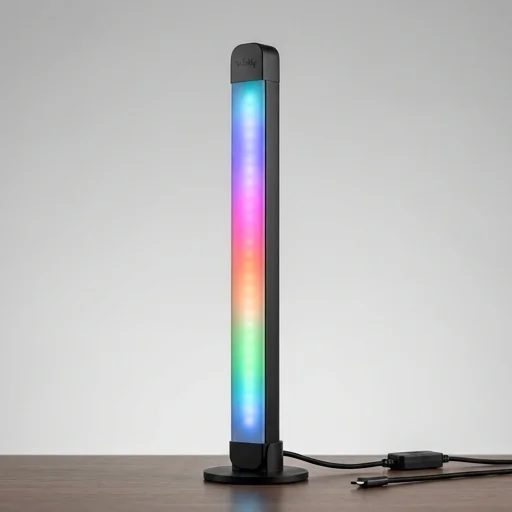
- Dual light bars with 88 RGBIC LEDs
- Govee Home app control with scene library
- Wi-Fi and Bluetooth connectivity
- Works with Alexa and Google Assistant
- DreamView AI adaptive color technology
- Magnetic stand and adhesive mounting options
Technical Specifications
Pros & Cons
Pros
- ✓ Impressively accurate real-time screen color matching
- ✓ Vivid, saturated RGBIC color transitions
- ✓ Simple setup via app and included camera
- ✓ No HDMI sync box or cables running to TV needed
- ✓ Great ambient lighting for gaming and movies
Cons
- ✕ Requires a stable Wi-Fi connection for smooth performance
- ✕ Camera placement can be finicky for accurate color capture
- ✕ Premium price compared to basic light bars
- ✕ App occasionally lags with firmware updates
In-Depth Review
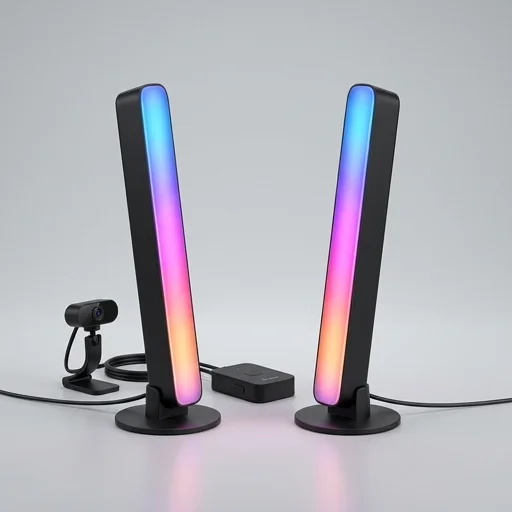
The Govee Flow Pro Light Bars bring a cinematic, screen-syncing glow to any gaming setup or media room, using a built-in camera clip-on sensor that reads the colors displayed on your monitor or TV in real time and mirrors them across two sleek light bars positioned behind your screen. Unlike simple ambient lighting strips, the Flow Pro analyzes on-screen content dynamically, so as a game explodes into fiery oranges or a movie shifts into moody blues, the light bars adjust instantly to match, creating an immersive halo effect that extends your visual experience beyond the edges of the display. The design is compact and minimalist, with a curved base that lets the bars sit flush against a monitor stand or desk without cluttering your workspace, and the diffused light output avoids harsh glare while still delivering vivid, saturated color output. Setup is straightforward through the Govee Home app, where users can select from multiple sync modes, including full video sync, music-reactive modes that pulse to audio beats, and customizable static scenes for when you just want ambient color without motion. The app also offers granular control over brightness, color segments, and effect speed, letting users fine-tune how aggressively the bars react to on-screen changes—useful for reducing distraction during work tasks while still enjoying accent lighting. Because the two bars can be positioned independently, users have flexibility in placement, whether flanking a single monitor, spreading across a multi-monitor array, or standing beside a television for a broader glow that fills more of the room with reactive light. Built with the gaming and streaming community in mind, the Flow Pro also supports scene customization for content creators who want consistent branded lighting during broadcasts, plus manual override modes for when screen syncing isn't needed. The light bars integrate with Govee's broader ecosystem, allowing pairing with other Govee lighting products for whole-room synchronization, and they support voice control through popular smart home platforms for hands-free adjustments. With sturdy build quality, a tool-free setup process, and a focus on dynamic, screen-matched illumination, the Govee Flow Pro Light Bars are designed for anyone looking to transform a desk or entertainment center into a more visually engaging, atmospheric space without relying on complex lighting rigs or professional installation.
What Buyers Say
The color sync with my monitor is shockingly accurate. Feels like my whole room reacts to what's on screen. Setup took maybe 15 minutes.
Once I found the right spot for the camera, the sync was fantastic. Took a few tries to get it dialed in though.
Way better than my old basic light strips. The RGBIC colors are rich and the app has tons of scene presets to play with.
Lighting quality is excellent and the screen sync works well most of the time. App occasionally needs a restart after updates.